
When a Phone Call Is Not the Best Path: An Alternative-Contact Card for Businesses Using an AI Receptionist
Use one real non-phone contact route more clearly. Fill an Alternative-Contact Card with its purpose, limits, owner, review window, and no-mouse path check.
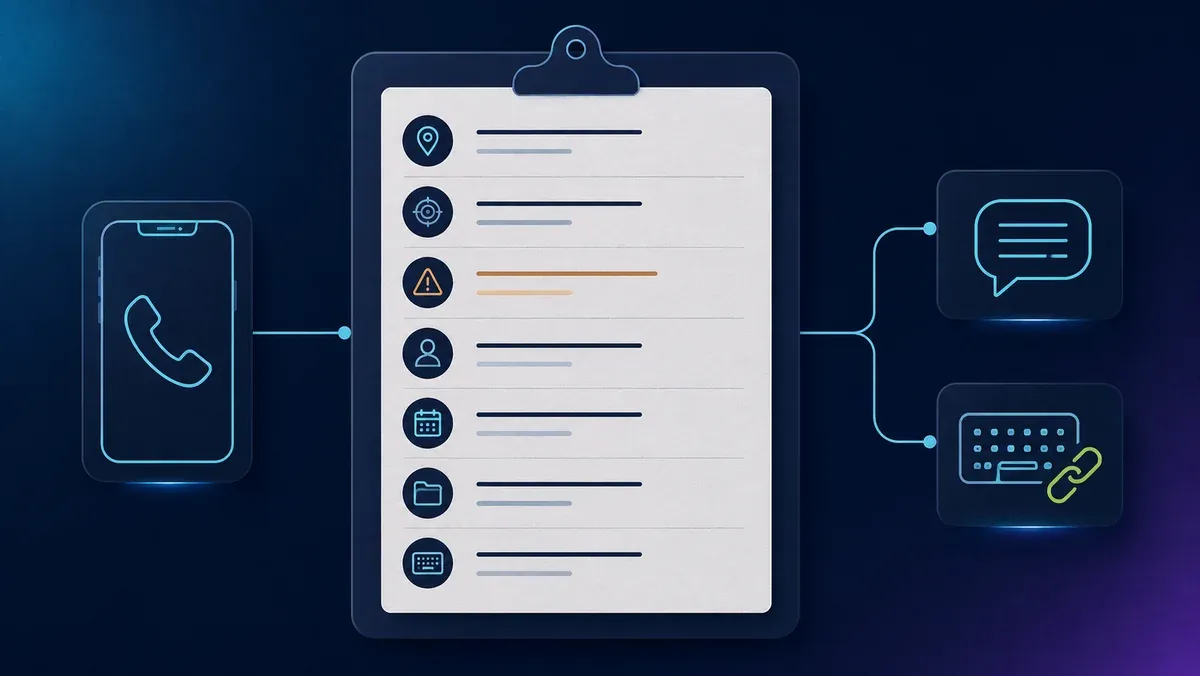
If your business asks people to call, make one real non-phone route easy to find too. That route might be a contact form, a monitored email address, or a text line your team already runs. The goal is simple: tell people what the route is for, where its limits are, who owns it, and when it is checked.
Quick answer
A phone call is not the best path for every person, question, or moment. Someone may prefer to write, need to return to the request later, or simply explain the issue more clearly in text.
- Pick one real route. Start with a channel your team already operates.
- Write down the facts. Name its purpose, limits, owner, and review window.
- Use one clear label. Repeat the same wording wherever that route appears.
Start with one real route
More contact options can look helpful, but they can also create doubt. A visitor may not know which option reaches a person, which one is monitored, or where a message goes. Make one route your team already runs easy to understand.
Begin with an honest inventory. Is there a website form that a real team role checks? Is there an email inbox with a clear owner? Is there a text route your business has chosen to operate? If nobody owns the route or you cannot say when it is reviewed, it is not ready to be promoted as a dependable option.
Choose a bounded job for the route. A contact form might accept general service questions. A monitored email address might accept non-urgent written inquiries. A text line might accept short scheduling questions if your team supports that use. Before naming it publicly, agree on one sentence internally: “We can describe this without guessing.”
The Alternative-Contact Card
Use this as a fill-in tool. Do not treat it as a public promise until the route owner has verified every line.
| Field | Write only what is true now |
|---|---|
| Route and public label | The existing destination and the exact label people will see, such as “Send a service question.” |
| For | The one or two kinds of non-urgent requests this route is meant to receive. |
| Not for | Emergencies, time-sensitive needs, sensitive details, or other requests the route cannot safely or reliably handle. |
| Owner | A role, not a private person's name—for example, “service coordinator.” |
| Review window | A business-defined expectation, such as “reviewed on business days,” only when the owner confirms it is supported. |
| Where people can find it | The phone invitation, contact page, and any other live place that points to the same destination. |
| No-mouse path check | Can someone use a keyboard to reach the link or form, understand its label, and complete the basic action? |
The smallest useful card tells the truth before it tries to persuade anyone. It also gives staff a shared reference. If the route changes, update the card before you update the public wording.
Fill the card without making promises
Complete the card with the role that actually handles the route. The person who checks the inbox or queue is the best source for what it can handle today.
- Route and labelName the action clearly. “Send a service question” is more useful than “Contact us” when it leads to one specific form.
- PurposeChoose a narrow job. “Ask about a routine service question” is clearer than “Anything you need.”
- LimitsSay what the route cannot handle before someone types. Never present it as an emergency or instant-response channel.
- OwnerUse a durable role such as “front-desk lead,” not a private person's name.
- Review windowPublish an expectation only when normal operations support it. Do not turn it into a guarantee.
- Where it appearsList the real places where visitors encounter the route. Keep the same label when the destination and function are the same.
- Keyboard pathCheck whether a person can reach, understand, and use the basic web path without a mouse. Record what you observed and any issue to fix.
Make the route easy to find
People should not have to guess that a written route exists. Place a short note near the phone invitation and repeat the same route in your contact area.
Prefer to write? Send a service question. For non-urgent service questions only. Please do not include sensitive information.
The bold text would be the link or control label. It should lead to the route described on the card. Do not hide it behind a vague “Learn more” label, a phone icon, color alone, or a mouse-only menu.
W3C's informative explanation for WCAG 2.2 Success Criterion 3.2.4 supports using the same clear label across pages when an action has the same function. Its explanation for Success Criterion 2.4.5 concerns ways to locate a web page; it is not a general rule that every business must offer several contact channels. W3C WAI: Consistent Identification · W3C WAI: Multiple Ways
Check the whole short path, not only the link. A focusable link is not enough if the form has unclear fields or errors. A clear form is not enough if visitors cannot reach it from the page that invites a call.
A clearly fictional example
Fictional example—not a customer, result, or model for every business. Harbor & Pine Repairs is an invented local repair business. Its team already runs a website contact form. Nothing here says its AI receptionist creates, announces, links to, monitors, or integrates with that form.
| Card field | Fictional Harbor & Pine entry |
|---|---|
| Route and public label | Existing contact form labeled “Send a service question.” |
| For | Non-urgent questions about a routine repair visit. |
| Not for | Emergencies, urgent safety concerns, booking confirmation, payment-card details, identity documents, health information, legal details, or other sensitive information. |
| Owner | Service coordinator. |
| Review window | “Reviewed on business days”—an expectation the fictional owner says the team can support. |
| Where people can find it | In the contact area and beside the site's phone invitation, using the same label. |
| No-mouse path check | Fictional observation: a keyboard user can reach the labeled link and complete a basic test submission. The team still needs broader accessibility review before making any accessibility claim. |
Its public note might read: “Prefer to write? Send a service question. For non-urgent routine repair questions. Please do not include sensitive information.” The team does not claim the route is instant, secure, accessible for everyone, or equal to calling.
What this card cannot decide
The card is a communication tool—not legal advice, a compliance checklist, a security assessment, or a product specification. It cannot prove that a route is accessible, private, secure, monitored, or right for every person. It also cannot tell you whether an AI receptionist can mention, link to, accept, send, route, retain, or integrate with a non-phone channel. Verify product behavior with the provider's current documentation before describing it.
Do not invite people to send health, payment, identity, legal, or other sensitive details through an ordinary form, email, text, chat, or social message. Review privacy, security, retention, access, legal, and accessibility questions with the right qualified people for your business and situation. The card's job is smaller: prevent a public invitation that nobody can explain or support.
Frequently asked questions
Do I need more than one alternative contact route?
No universal number follows from this article. Start with one existing route you can describe honestly. The W3C page on “Multiple Ways” is about ways to locate a web page, not a general mandate for multiple contact channels. W3C WAI: Understanding SC 2.4.5, Multiple Ways
Can I call the route “accessible”?
Not based on this card. A keyboard review or automated check is useful information, but it is not a certification or a conclusion that a route works for everyone.
Should I publish a response time?
Only state a business-defined expectation after the route owner confirms that normal operations support it. Do not call it a guarantee or imply an instant reply.
What should the public label say?
Use a plain action that matches the destination, such as “Send a service question.” Reuse it when the same function appears on more than one page.
Can the route handle an emergency or urgent request?
Do not assume so. State the route's limits and direct people to an appropriate channel for their situation. Decide the exact wording with your own operational and professional guidance.
May people send sensitive information through the route?
Do not invite health, payment, identity, legal, or other sensitive information through an ordinary form, email, text, chat, or social message. Address that separately through your privacy and security review.
Does this tell me what the ADA requires?
No. This is operational education, not legal advice. The cited DOJ pages are guidance; particular duties and appropriate communication depend on the facts and should be reviewed with qualified advice when needed.
Does an AI receptionist need to mention this route?
Do not assume it can. Confirm any capability with the provider's current documentation before making a product claim. The card still helps your business make its own route clear wherever you choose to present it.