
AI Receptionist Lead Qualification: Build a Simple Question Map
Learn how to map each lead detail to a real decision, owner, destination, and stopping point without turning intake into an interview.
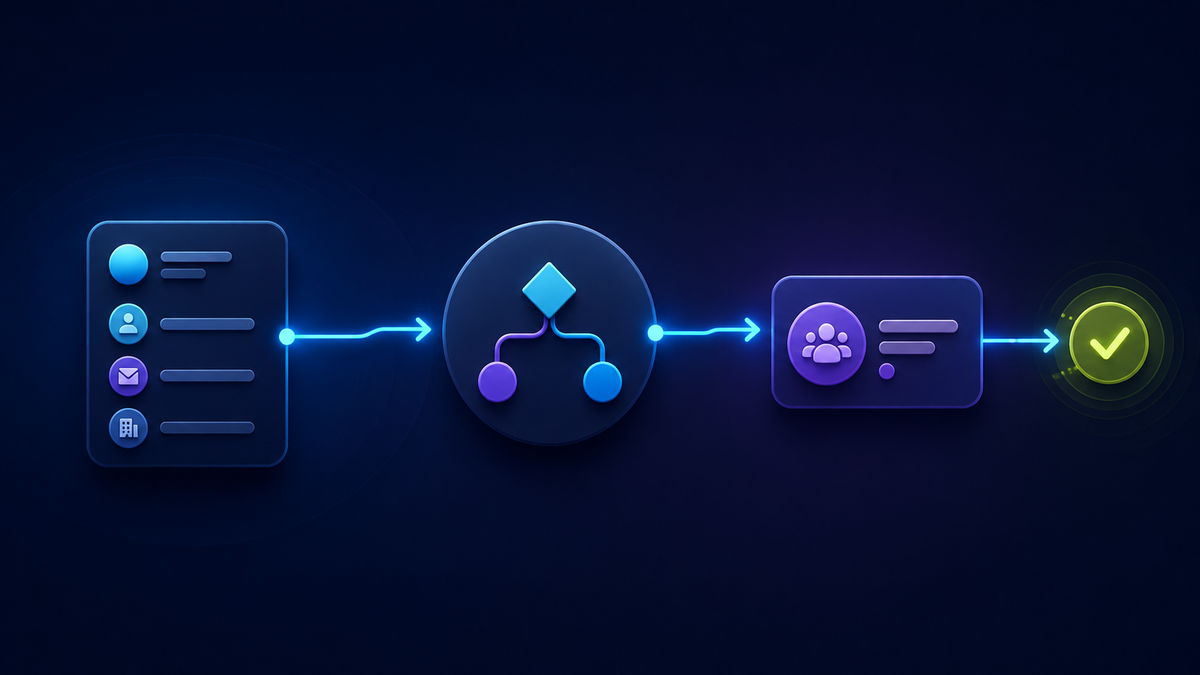
Why a generic intake form can hurt the conversation
A person asking about service hours does not need the same intake as someone requesting a quote. Yet many businesses use one form or one call script for everyone.
That creates two problems.
Ask too little, and the team may not know who should respond or what the person needs. Ask too much, and a simple conversation starts to feel like paperwork. The business may also collect personal information that nobody needs.
The answer is not a “perfect” universal script. It is a small decision map for each common lead type.
LucidChat's public pages describe Chat AI and Voice AI that can capture lead or caller details, needs, and intent, use consistent qualification questions, and support routing or booking through configured paths. Those are broad capabilities, not proof that every account uses the same questions, destinations, or handoff setup. (LucidChat homepage; LucidChat pricing)
The lead-information decision map
Use these seven columns. If your team cannot fill in a row, that is a sign to pause before adding the question to a live conversation.
Seven-column table. Scroll horizontally on narrow screens to review every column.
| Lead type | Possible detail | Decision changed | Owner | Optional? | Destination | Stop condition |
|---|---|---|---|---|---|---|
| Type of inquiry the person has | One answer you might collect | The real choice this answer affects | Person or team that uses it | When the detail can be skipped | Approved place the answer is recorded | Point when enough is known to take the next step |
Here is a fictional planning example. It is not a universal script or a description of any LucidChat customer's setup.
Seven-column table. Scroll horizontally on narrow screens to review every column.
| Lead type | Possible detail | Decision changed | Owner | Optional? | Destination | Stop condition |
|---|---|---|---|---|---|---|
| Service request | Service location | Whether the request goes to the local service team | Service coordinator | Yes, when location does not affect service | Approved intake record | Stop when the service need and routing path are clear |
| Quote request | Project type | Which estimator should review it | Estimating lead | Only if the business has another reliable way to choose an owner | Approved quote-intake record | Stop when the review owner and follow-up route are known |
| General question | No added detail | None; the next action is already clear | Published-answer owner | Not applicable | No collection | Stop now and provide the confirmed answer or real next path |
What each column does
Lead type keeps unlike conversations from being forced into one form. A quote request, support question, and new-service inquiry may need different paths.
Possible detail is something the team may need, not something it collects by habit.
Decision changed is the heart of the map. It names the choice that becomes easier or possible after the answer.
Owner identifies the person or team that will use the detail. If nobody owns it, ask why it is being collected.
Optional? explains when the question may be skipped. Optional should be a real rule, not a vague promise.
Destination names the approved place the answer goes. Do not assume a CRM, inbox, calendar, or other connection exists unless it has been configured and tested.
Stop condition protects the conversation from unnecessary follow-ups. Once the next responsible owner and real next action are clear, stop collecting information.
Six questions you may or may not use
These are examples, not a required order or complete script. A business may replace, skip, or omit any of them. Article 14 covers the separate job of writing caller-facing language. Here, the purpose is to decide whether a type of information belongs in the conversation at all.
- What can we help you with? Use the person's own words to understand the goal.
- Which service or product is this about? Use this only when the answer changes the owner, answer, or path.
- Is there one fit detail we need? This might be a service location, job type, or another business-defined detail.
- When do you need help? Record timing without inventing urgency, priority, or availability.
- How should the team follow up? Offer only a real channel that the business monitors.
- May we use that detail for this follow-up? Use notice or consent language approved for the business and situation; this example does not establish legal compliance.
Quick test: If an answer does not change a decision, help an owner act, or support a required next step, remove it from the map until there is a clear reason to collect it.
Three conditional examples
The best map changes with the conversation. These fictional examples show how that works across chat and phone. They contain no real customer information.
1. Website chat: the visitor already gave two answers
A visitor opens with a message that names both the service needed and the city where it is needed.
The map says service type chooses the team and location checks the service area. Both details are already present, so the receptionist should skip those two questions. If a supported follow-up is needed, it can move to the approved contact step. If the visitor only needs a confirmed public answer, the conversation may stop without collecting contact details.
Why this works: the map reacts to what the person already said instead of repeating a fixed checklist.
2. Phone: a quote request needs one routing detail
A caller asks for a quote and already describes the project type. The map shows that project type chooses the estimator, so that question is unnecessary. The service location may still matter if it changes which team can review the request.
After the correct review owner and an approved follow-up route are known, the receptionist stops. It does not keep gathering extra details “just in case.” It also does not announce that a quote, transfer, message, or callback is complete unless the underlying action actually succeeds.
Why this works: the team gets the one missing detail that changes the next decision, then ends the intake cleanly.
3. Phone or relay call: the answer is already available
A person asks a general question that the business has approved for a direct answer. No lead information is needed, so the map's stop condition is immediate: provide the confirmed answer or the real next path.
If the person communicates through a relay service or needs another communication method, that difference must not be treated as a sign of poor lead quality. U.S. Department of Justice guidance explains that communication needs depend on the context and discusses relay-call treatment for covered entities. That guidance is not a business-specific legal conclusion, but it is a useful reminder to test inclusive paths. (DOJ effective communication guidance)
Why this works: the process judges the request, not the person, and avoids collecting data that will not be used.
Keep ordinary intake away from sensitive information
Ordinary lead qualification is not the place to ask for passwords, full payment-card details, government identifiers, detailed medical information, or other sensitive material.
The Federal Trade Commission recommends that businesses understand what personal information they collect, where it goes, who can access it, and how long it is kept. It also recommends keeping only information needed for a legitimate business purpose. (FTC: Protecting Personal Information)
NIST describes its Privacy Framework as a voluntary tool for identifying and managing privacy risk. As of the evidence review for this article, NIST's public page lists Version 1.0 and labels Privacy Framework 1.1 as an Initial Public Draft. (NIST Privacy Framework)
LucidChat's Customer Subscription Agreement also makes customers responsible for rights to data they provide and prohibits collecting information without legally required notice or consent. This contract language is not a complete guide to privacy law. (LucidChat Customer Subscription Agreement)
Before adding a detail, check four things
- Does the team have a legitimate purpose for it?
- Could a less sensitive detail do the same job?
- Is the destination approved and access limited appropriately?
- Is there a retention rule for removing it when it is no longer needed?
Business-specific legal, privacy, security, or regulated-data needs require qualified review and proven controls. This article does not authorize those workflows or promise compliance.
Design for real conversations, not perfect ones
People interrupt. They correct themselves. They decline to answer. They ask for a person. They use different words than the team expected.
A practical map should allow for all of that.
- Ask one thing at a time.
- Acknowledge information already shared.
- Accept a correction without treating both answers as true.
- Let people decline an optional question.
- Offer a human or alternate channel only when that path really exists.
- Never judge fit from a person's accent, name, disability, speech pattern, tone, or background noise.
- Use business-defined service fit and the stated request, not personal characteristics.
Test the map before changing live intake
Use fictional test cases and approved test environments. Do not experiment on real prospects.
- Skip logic: Does the flow avoid asking for details already provided?
- Stop condition: Does it end once the owner and next action are clear?
- Chat and phone: Does the logic remain understandable in both formats?
- Correction: Can a person change an earlier answer cleanly?
- Interruption: Can the flow recover without restarting the interview?
- Refusal: Can a person decline an optional detail and still get a truthful next step?
- Human request: Does the flow offer only a real, configured path?
- Relay and alternate channels: Have communication differences been tested without lowering lead quality?
- Destination: Does each collected detail arrive only where the map says it should?
- Failure language: If a transfer, booking, or message fails, does the response avoid claiming success?
Frequently asked questions
What is an AI receptionist lead-information decision map?
It is a planning table that connects each possible lead detail to a real business decision, an owner, an approved destination, an optionality rule, and a stopping point. It helps a team explain why each detail is or is not needed.
Should every caller or chat visitor get the same questions?
Usually, no. Different inquiry types may lead to different decisions. A general question may need no personal details, while a quote request may need one or two facts to reach the correct owner.
How many qualification questions should an AI receptionist ask?
There is no universal number. Ask only the questions justified by the map, skip answers already given, and stop when the team can take the real next action. This article's six questions are examples, not a target.
Does LucidChat use this exact map automatically?
No such claim is made here. LucidChat's public pages describe lead capture, qualification questions, and configured routing or booking support at a high level. A specific map, script, destination, or integration must be designed, configured, reviewed, and tested for the business.
Can this map guarantee more leads or sales?
No. It is a planning tool for clearer intake decisions. It does not guarantee leads, bookings, sales, response time, savings, or revenue.
Does following this article make an intake process compliant?
No. The article offers general planning guidance, not legal advice or a compliance certification. Rules vary by business, data, location, and communication context. Get qualified guidance where needed.
What should a small business map first?
Choose one common lead type with a clear owner and next step. Fill in the seven columns, remove unjustified details, test the stop condition with fictional examples, and review the result before changing a live flow.